
top free ai writing tools for content creators can save hours, but only if you pick the right one for your workflow and you know the limits of each “free” plan.
A lot of creators hit the same wall: the tool writes “fine,” yet the draft sounds generic, facts feel shaky, and you burn time rewriting. The best free tools are the ones that help you think, outline, and edit, not just spit out paragraphs.

This guide focuses on practical choices for US-based content teams and solo creators in 2026: what each tool is good at, what you should watch for (usage caps, data policies, plagiarism risk), and a simple way to test them with one real assignment.
What “free” really means for AI writing tools in 2026
Free tiers usually come with tradeoffs, and they matter more than most feature checklists.
- Usage caps: message limits, word limits, or daily quotas that quietly slow production mid-week.
- Model access: free plans often use smaller or older models that struggle with nuance, brand voice, or longer context.
- Data handling: some services may use prompts to improve models unless you opt out, which can be a concern for client work.
- Team features locked: shared brand voice, style guides, and approvals are commonly paid-only.
According to NIST, generative AI can produce “hallucinations,” meaning confident-sounding text that may be inaccurate. That’s why the best “free tool” is often a combo: one for drafting, one for editing, plus a quick verification routine.
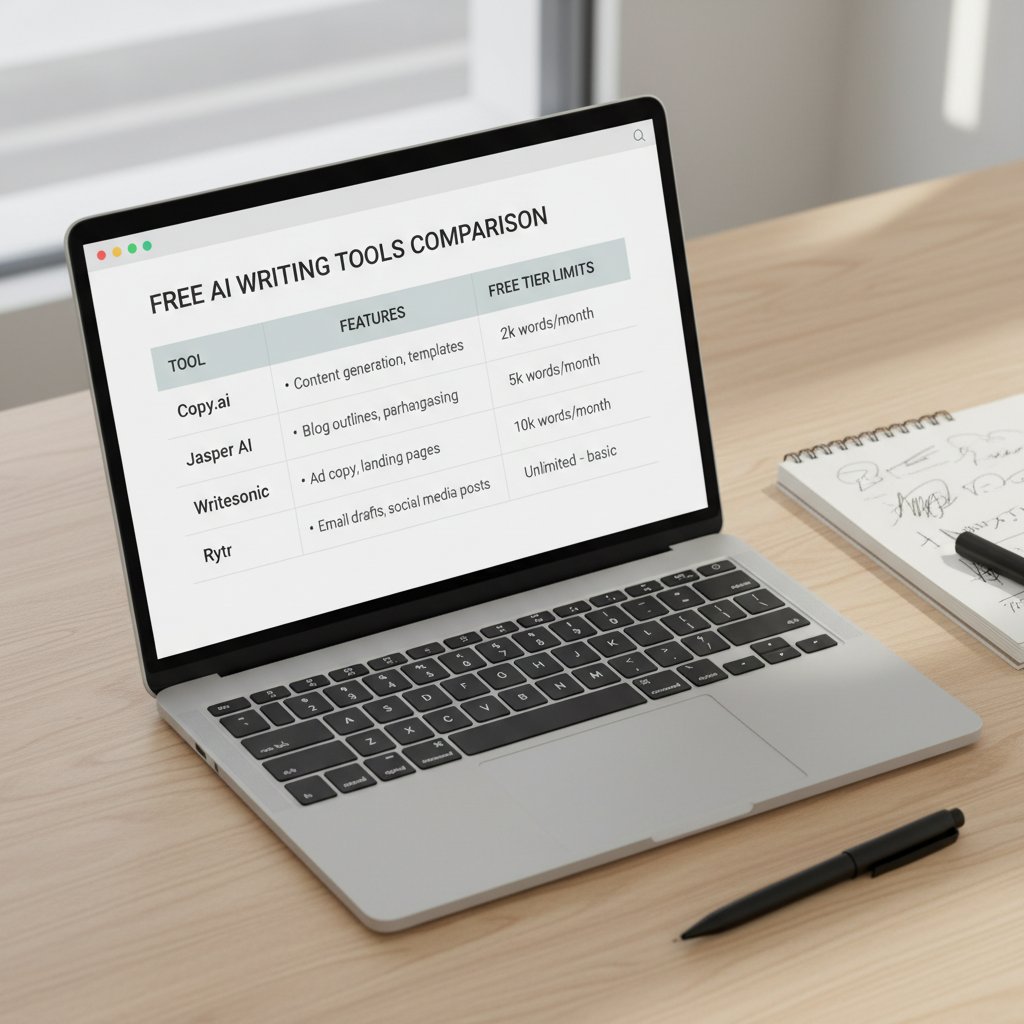
Quick comparison table: top free picks and what they’re best for
This table isn’t meant to crown a single winner. It’s meant to help you match a tool to a job, then test it on your own content.
| Tool (Free option) | Best for | Where it can struggle | Good “first test” task |
|---|---|---|---|
| ChatGPT (free tier) | Outlines, rewrites, ideation, lightweight editing | May be constrained vs paid models; factual checks still required | Turn a messy draft into a clean outline + intro options |
| Gemini (free) | Brainstorming, summaries, Google-ecosystem workflows | Voice consistency varies; verify sources and claims | Summarize a long brief into a publish-ready structure |
| Claude (free tier) | Long-form reasoning, tone control, editing for clarity | Limits can appear quickly; still not a fact database | Edit a 1,500-word draft for flow and redundancy |
| Microsoft Copilot (free) | Everyday writing in Microsoft workflows, quick emails/blurbs | Less control for deep brand voice work in free mode | Generate 10 subject lines + a short newsletter intro |
| Grammarly (free) | Grammar, clarity, tone hints | Not a full drafter on free plan | Polish a draft to reduce awkward phrasing |
| Hemingway Editor (free web) | Readability cleanup, simpler sentences | Can over-simplify; not “smart” about meaning | Improve scannability for a blog post section |
Top free AI writing tools for content creators (and when to use each)
Here’s the honest way to think about top free ai writing tools for content creators: you’re picking “helpers” for specific steps, not hiring a single robot copywriter.
ChatGPT (free tier): best all-around drafting assistant
For most creators, this is the quickest way to go from blank page to a workable structure. It’s especially useful for outlining, rewriting, and generating variants.
- Use it for: outlines, hooks, CTA variations, social snippets, content repurposing.
- Skip it for: niche claims without sources, compliance-heavy topics, “final” copy without human editing.
Claude (free tier): best free editor for clarity and tone
If you already have a rough draft, Claude is often strong at cleaning structure and improving readability while keeping your voice intact. Many creators like it as a second pass.
- Use it for: tighten intros, reduce repetition, improve transitions, keep tone friendly but not salesy.
- Watch for: it may “smooth out” personality if you don’t specify what to preserve.
Gemini (free): good for fast ideation and summaries
Gemini can be handy when you have a long brief, scattered notes, or a meeting transcript and need a usable plan. Treat it as a synthesizer, not a source of truth.
- Use it for: topic clusters, angle exploration, rewriting bullet notes into sections.
- Watch for: vague phrasing and unverified specifics that sound “official.”
Microsoft Copilot (free): practical for day-to-day business writing
If your content work lives in Microsoft apps, Copilot can help with routine writing and quick iterations. It’s less about long-form “voice” and more about speed.
- Use it for: client emails, brief summaries, internal docs, quick blurbs for campaigns.
- Watch for: generic marketing tone unless you give a tight prompt and examples.
Grammarly (free): the “last mile” quality checker
Even if you draft in another assistant, Grammarly can reduce small errors that quietly hurt credibility. For many teams, it’s the easiest free upgrade to consistency.
- Use it for: grammar, clarity, basic tone alignment, typo cleanup at scale.
- Watch for: suggestions that change meaning in technical writing.
Hemingway Editor (free web): fast readability improvements
Not an AI writer, but it pairs well with AI drafts. If your content feels long-winded, Hemingway gives blunt feedback and pushes you toward scannable writing.
- Use it for: simplifying sentences, removing fluff, improving reading flow.
- Watch for: oversimplifying when nuance matters.
A simple self-check: which tool fits your workflow?
If you’re overwhelmed by options, answer these quickly. Your “yes” answers tell you what to try first.
- You struggle with blank-page starts: start with ChatGPT or Gemini for outlines and first drafts.
- You have drafts but they feel messy: add Claude as an editing pass.
- You publish often and errors slip through: Grammarly + Hemingway as a finishing combo.
- You write in a corporate environment: Copilot is often the most convenient day-to-day assistant.
- You need strict brand voice: pick one drafter and train it with examples, then keep an editor tool separate.
Also be real about your bottleneck. Many creators blame “writing speed,” but the actual slowdown is usually structure and editing, not typing.

How to use free AI tools without losing your voice (practical workflow)
This is a workflow that tends to work well with top free ai writing tools for content creators, especially when you want speed without sounding like everyone else.
Step 1: Feed it “voice anchors,” not just instructions
Instead of “write in a friendly tone,” paste a short sample of your writing, or 2–3 paragraphs from a past post that performed well. Then ask the tool to mimic rhythm and sentence length, not your opinions.
- Include a short “do/don’t” list: words you avoid, how you format lists, how direct you are.
- Ask for 2–3 outline options, pick one, then draft.
Step 2: Draft in chunks (intro, one section at a time)
Free tiers can lose context in long chats. You’ll get better results if you draft section-by-section and keep a running “content brief” paragraph you paste each time.
Step 3: Run a separate editing pass
Drafting and editing in the same tool can hide problems. Use an editor-style pass (Claude, Grammarly, Hemingway) and ask for specific fixes:
- Clarity edit: remove redundancy, tighten topic sentences, keep key terms consistent.
- Voice edit: keep contractions, reduce corporate filler, add light specificity.
- Skimmability: shorten paragraphs, add subheads, add one “key takeaway” box.
Step 4: Verify anything that sounds like a fact
According to FTC, advertising and endorsements must avoid misleading claims. If AI generates performance promises or comparisons, treat them as drafts, then confirm what you can actually support. If you’re in a regulated space, it’s often worth getting a professional review.
Common mistakes (and how to avoid wasting time)
- Mistake: prompting for “a full blog post” and publishing the first draft. Fix: prompt for structure, then draft sections with clear constraints.
- Mistake: trusting citations that look real. Fix: request “no citations,” then add your own sources, or manually verify every reference.
- Mistake: using AI to invent examples and case studies. Fix: keep examples generic unless you have real data and permission.
- Mistake: one tool for everything. Fix: pair a drafter with a checker, it’s usually faster.
- Mistake: optimizing for volume over usefulness. Fix: decide one reader question per section and answer it cleanly.
Conclusion: the best free stack is the one you’ll actually use
If you’re choosing among top free ai writing tools for content creators, aim for a small stack you can repeat every week: one tool to outline and draft, one to edit, and a habit of verifying anything that could be interpreted as a claim.
Key takeaways: free plans are great for testing workflows, voice control comes from examples not adjectives, and editing is where most content starts to feel “human.” Pick two tools, run the same test assignment, then keep what genuinely saves time.
FAQ
What are the top free AI writing tools for content creators right now?
Common free starting points include ChatGPT, Gemini, Claude, Microsoft Copilot, plus non-drafting helpers like Grammarly and Hemingway. “Top” depends on whether you need drafting, editing, or quick business writing.
Can I use free AI writing tools for SEO blog posts?
Yes, many creators do, but you’ll want to control outline quality, add firsthand insight, and verify factual statements. AI can help with structure and readability, while you supply accuracy and perspective.
How do I stop AI content from sounding generic?
Give a short sample of your best writing, specify what to preserve, and draft section-by-section. Also, run a second pass focused on tightening and adding specificity, generic tone often hides in vague nouns and filler sentences.
Are free AI writing tools safe for client work?
It depends on the tool’s data policies and your client’s requirements. Avoid pasting sensitive info, and check whether there are opt-out controls for training or data retention. When in doubt, ask your client or legal/compliance contact.
Do free tools include plagiarism checking?
Some tools offer limited originality features, many do not. Even with checkers, you still need editorial judgment: similar phrasing can happen in common topics, and “unique” text can still be misleading or low-quality.
What’s the fastest workflow for short-form content like captions?
Use one drafting tool to generate 10–20 variants from a clear brief, then pick and rewrite the best 2–3 in your voice. Finish with a quick grammar pass, and keep a swipe file of your best-performing captions for style reference.
Should I use one AI tool or multiple?
For most people, two is the sweet spot: one for drafting and one for polishing. More than that can turn into tool-hopping unless you have a defined role for each step.
If you’re building a repeatable content workflow and want a more hands-off way to evaluate tools, try running the same prompt pack across two assistants, then score them on voice match, edit time, and how many “fixes” you needed before publishing.