
How to use perplexity ai well comes down to one thing: asking questions in a way that gets you verifiable, usable answers, not just a nice-sounding summary.
A lot of people open Perplexity, type a broad prompt, and leave thinking it feels similar to any chatbot. The difference is that Perplexity is built for research and source-backed browsing, which makes it especially useful for school, work, and content tasks where you need to show where information came from.

This guide focuses on practical usage: how to set it up, how to prompt for better citations, how to keep answers grounded, and when you should double-check with primary sources. You’ll also get ready-to-copy prompt patterns and a few workflows that feel “real life,” not demo-mode.
What Perplexity AI is (and what it is not)
Perplexity AI is a search-and-answer tool that typically responds with a direct explanation plus a set of sources you can open. That source layer is the main reason many people use it for research, market scanning, and quick learning.
It’s still an AI system though, so treat it like a fast research assistant, not an authority. According to NIST, AI systems can produce outputs that appear correct but may be incorrect or misleading, so you should validate important claims with reliable references.
- Good at: summarizing topics, comparing options, outlining plans, pulling key points from multiple sources, giving you a citation trail.
- Not great for: anything requiring guaranteed accuracy, confidential data handling, or specialized legal/medical decisions without professional review.
Getting started: account, settings, and a simple first query
If you’re new, keep setup simple: sign in (optional in some cases), pick your default mode, and decide whether you want answers optimized for speed or depth. A small tweak here saves time later.
Quick setup checklist
- Choose a goal: research, writing support, or decision-making.
- Turn on web-backed results when you need fresh info or citations.
- Decide your “proof standard”: for light learning, sources can be loose; for work deliverables, you want primary or reputable secondary sources.
Your first query (use this template)
Prompt: “Explain X in plain English, then list 5 reputable sources and what each source contributes. If sources conflict, call it out.”
This immediately trains the session toward transparency and reduces the chance you get a smooth answer with thin support.
Prompting that actually works: the 5 levers that improve results
Most frustration comes from prompts that are too broad or that hide the real intent. In practice, strong prompts make your question bounded, testable, and source-driven.
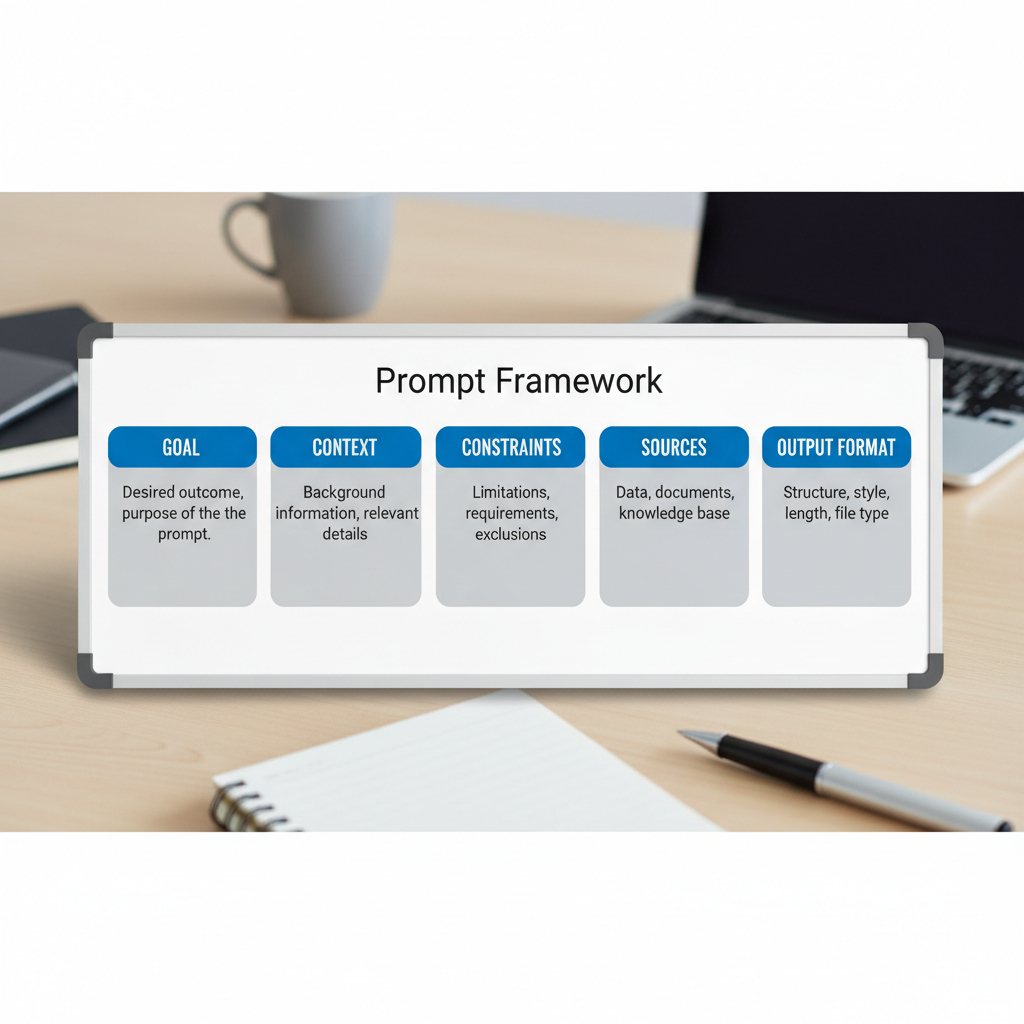
1) Add constraints (time, location, audience)
- “Focus on the US market, 2024–2026 context.”
- “Assume I’m a non-technical manager, keep jargon light.”
- “Limit to 8 bullet points, then give a short recommendation.”
2) Ask for citations the right way
Instead of “add sources,” ask for source intent: what each source supports, and where uncertainty remains.
- “Cite sources for each key claim, and label claims that are opinions.”
- “Prioritize government, academic, or major industry publications.”
3) Force a structure you can reuse
- “Output as: Summary, Key terms, Pros/Cons, Risks, Next steps.”
- “Create a decision matrix with criteria weights.”
4) Request counterpoints
This is underrated. Many topics have real disagreement, and you want that upfront.
- “Give the strongest argument against this approach.”
- “Where do experts disagree, and why?”
5) Iterate like a researcher, not a consumer
Ask a follow-up that narrows the scope, challenges a claim, or requests primary documentation. This is where how to use perplexity ai starts feeling like a workflow instead of a one-off answer.
Using citations and sources: how to trust, verify, and move faster
The citation panel is only useful if you know what you’re looking at. Some sources are high-quality explainers, others are opinion, and sometimes you’ll see secondhand summaries of primary material.
A practical “source quality” filter
- Best: primary sources (official docs, standards, peer-reviewed papers, official statistics).
- Often good: reputable journalism with named experts and links to underlying docs.
- Use carefully: vendor blogs, SEO-heavy listicles, anonymous forum posts.
According to U.S. Federal Trade Commission (FTC), advertising and endorsements can shape online claims, so it’s smart to sanity-check vendor content when you’re making buying decisions.
Verification moves that take 60 seconds
- Open 2–3 cited sources and confirm the exact wording matches the claim.
- Search within the source for the key term, don’t rely on skimming.
- If it’s a statistic, look for methodology or the original dataset.
Common use cases (with copy-ready prompts)
Below are patterns that work well in the US context for work, school, and everyday decisions. Swap the bracketed parts and keep the structure.

Work research and brief building
- Prompt: “Create a 1-page brief on [topic] for [executive audience]. Include: key trends, risks, and 6 sources with 1-line annotations.”
- Prompt: “What are the top objections to [proposal], and what evidence supports each objection? Cite sources.”
Writing support (without hallucinating facts)
- Prompt: “Draft an outline for [article/topic]. Mark any claims that require a citation, then suggest credible sources to cite.”
- Prompt: “Rewrite this paragraph for clarity and tone, but do not add new facts: [paste text].”
Learning a topic fast
- Prompt: “Teach me [topic] like I’m new. Use analogies, then give 5 quiz questions and answers.”
- Prompt: “What should I learn next after [topic]? Build a 2-week plan with resources.”
Shopping and tool comparison
- Prompt: “Compare [tool A] vs [tool B] for [use case]. Include pricing caveats, integration limits, and who should avoid each option. Cite sources.”
A simple workflow: from question to deliverable in 20 minutes
This is a realistic way to use it when you need an output you can share. Not perfect, but efficient.
Step-by-step
- Step 1: Ask for a structured overview with citations and uncertainties.
- Step 2: Pick 3–5 key claims, open the sources, verify wording.
- Step 3: Ask for a tailored summary for your audience, referencing only the verified claims.
- Step 4: Request a checklist, a draft email, or a slide outline as the final format.
Key takeaway
If you want to learn how to use perplexity ai for professional work, the habit to build is simple: verify first, polish second.
Feature cheat sheet (what to use when)
People often bounce between “search mode” and “writing mode” without realizing they’re asking for different behaviors. This table keeps expectations aligned.
| Goal | What to ask for | What to watch out for |
|---|---|---|
| Fast understanding | Plain-English summary + key terms | Over-simplification, missing edge cases |
| Research with proof | Claims + citations + source annotations | Weak sources, mismatched citations |
| Decision support | Criteria list + tradeoffs + recommendation | Hidden assumptions, biased inputs |
| Writing assistance | Outline + sections + “citation needed” flags | Accidental new facts introduced |
Mistakes that make Perplexity feel “worse than it is”
Most issues are fixable once you notice the pattern.
- Asking a giant question: you get a generic answer. Break it into sub-questions that map to decisions you need to make.
- Trusting the first answer: better approach is to ask for counterarguments and uncertainty.
- Not specifying sources: if you need primary sources, say so.
- Copy-pasting outputs into final work: do a verification pass, then rewrite in your own voice and constraints.
If your use case touches health, legal, or financial choices, treat Perplexity as an organizer and explainer, not a decision-maker, and consider consulting a qualified professional.
Conclusion: a practical way to get value today
How to use perplexity ai effectively is less about hidden tricks and more about consistent discipline: ask bounded questions, demand transparent sourcing, and verify the claims you plan to repeat.
If you want a quick win, pick one task this week, like summarizing a competitor, prepping a meeting brief, or outlining an article, then run the 20-minute workflow once. You’ll feel the difference immediately when your answer comes with a source trail you can defend.